Managing Your Subscription
This guide provides step-by-step instructions for viewing your current plan, upgrading, downgrading, or canceling your subscription. All these actions can be managed directly from your account settings.
Where to find subscription information
- Log in to your MaskIT account.
- Navigate to the section Account/Subscription & Billing.
How to Upgrade or Downgrade Your Plan
- You can check the plan comparison under the Change plan button.
- Choose your desired plan and confirm the change.
⚠️ A valid credit card is required to complete the upgrade.
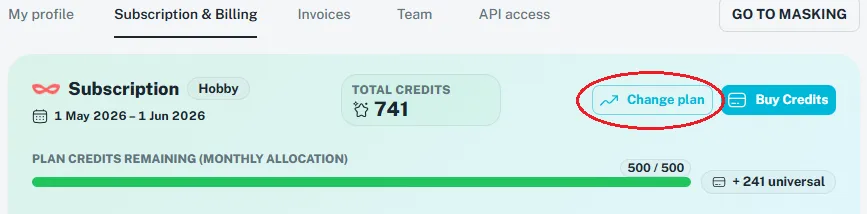
Upgrading:
You can upgrade to a higher plan at any time. You will be charged a pro-rated amount for the remainder of the current billing cycle, and your account will be immediately updated with the new credit allowance and features.
Example:
- from Professional plan (€89/month for 3,000 credits)
- to Business plan (€399/month for 15,000 credits)
- On the 11th of the month (10 days used, 20 days remain)
- Totally spent 500 credits from Profesional plan
Cost Calculation:
- Diff between plans €399 - €89 = €310
- Ratio of remaining dates 20/30 days
- Price €206.67 (calculation 310 * 20/30)
Credit Calculation:
- Unused credits 3,000 - 500 = 2,500
- Diff between plans 15,000 - 3,000 = 12,000
- Available credits 10,500 (calculation 12,000 * 20/30 + 2,500)
Downgrading:
You can schedule a downgrade for your next billing cycle. You will retain your current plan's benefits until the end of the current cycle. You will retain your current, higher plan's benefits and credit allowance until the cycle ends. On your next renewal date, your plan will be switched to the lower tier, and you will be charged the new, lower amount.
⚠️ Universal credits will remain on your account, but monthly subscription credits do not roll over.
You can cancel the planned downgrade by simple click in the button cancel.
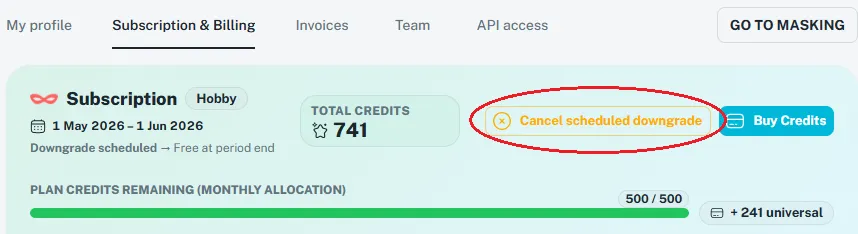
How to Cancel Your Account
You can delete your account at any time in your account settings.
- Log in to your MaskIT account.
- Navigate to the Account/Subscription & Billing section.
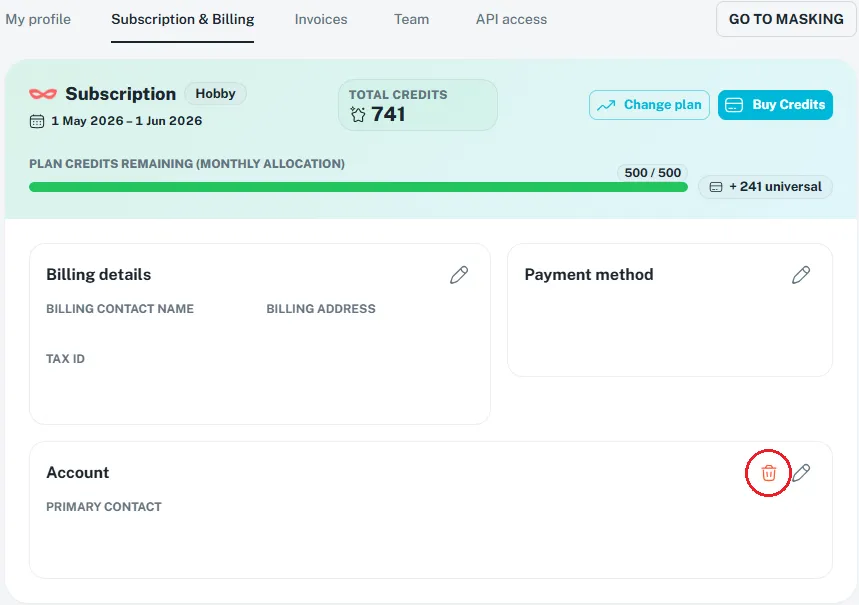
Please note: When you cancel your account, your subscription will be scheduled for termination within 24 hours. After that, all your data will be permanently deleted.
Any unused credits (both monthly and pay-as-you-go) will be forfeited and cannot be refunded.